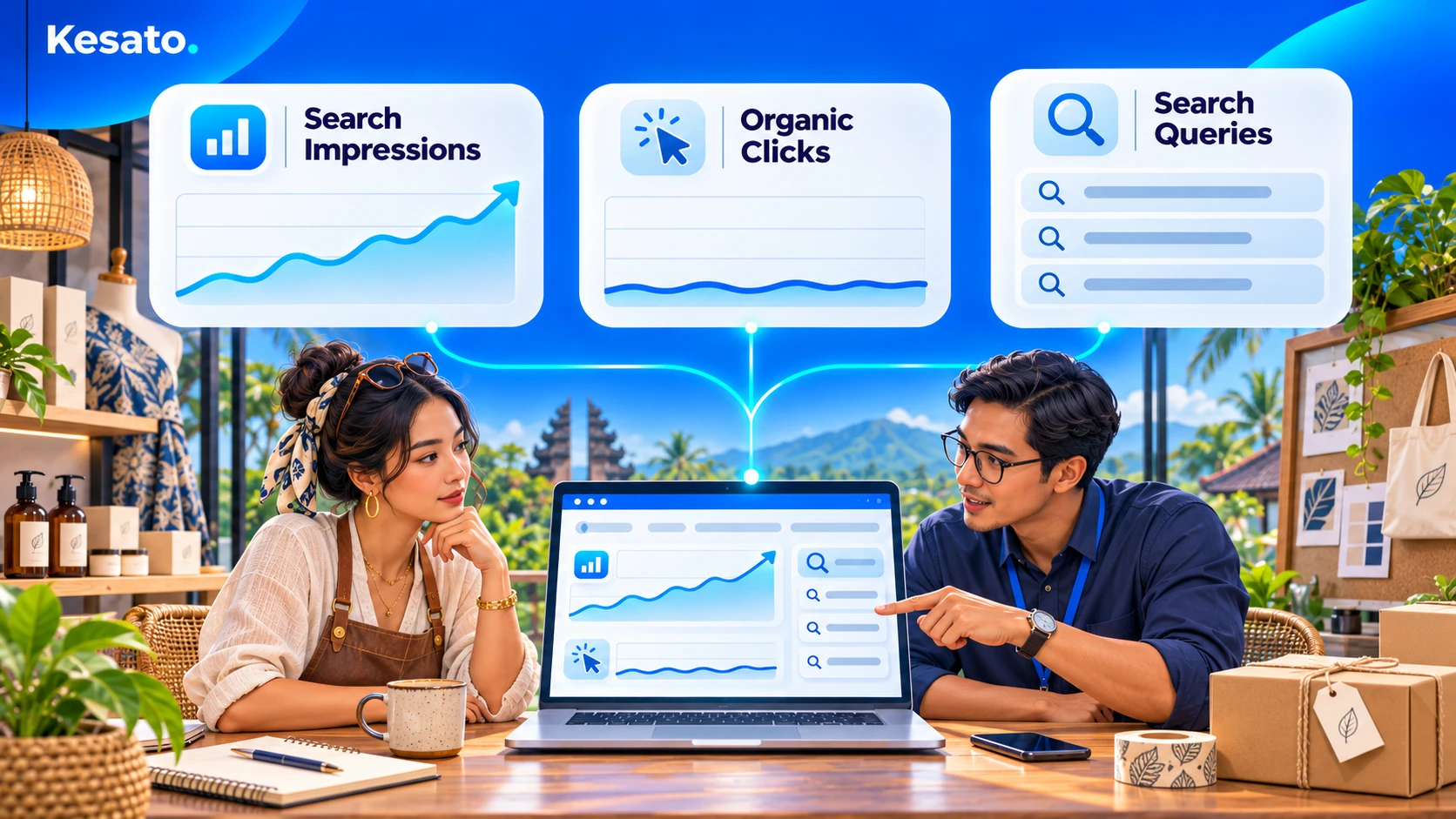
Your website is appearing on Google, but organic clicks are still disappointing. You may have invested in SEO, published articles, or improved your website, yet few potential customers seem to find you through search.
Before investing in more content or changing your entire SEO strategy, you need to understand where the problem actually starts.
Low organic clicks do not always mean your website has an indexing problem. Your pages may be visible but rank too low, appear for searches that do not match your services, or fail to communicate their value in search results.
This guide will help you identify those differences using Google Search Console and decide what to check first.
Key Takeaways
- Being visible in Google does not automatically mean your website will attract organic clicks.
- Check your rankings, search query relevance, and search result presentation before making changes.
- Prioritize improvements based on evidence rather than applying generic SEO tips.
Table of Contents
- Your Website Appears on Google. So Why Aren’t People Clicking?
- What Should You Check in Google Search Console First?
- Three Reasons Your SEO Visibility Isn’t Turning Into Clicks
- Which SEO Problem Should You Fix First?
- How Do You Know Whether Your SEO Changes Helped?
- When Should You Get an SEO Specialist Involved?
Your Website Appears on Google. So Why Aren’t People Clicking?
Imagine running a business with a website that appears in Google Search, but only a small number of people visit it. This can happen even when your website is technically accessible and Google has indexed its pages.
Two metrics help explain the situation:
Impressions show how often your website appears in Google Search results. Clicks show how often someone selects your result to visit your website.
If your website receives impressions but few clicks, it is worth investigating which searches trigger your pages, where they tend to rank, and how they appear to potential visitors.
These are different problems from a website that cannot be found in Google at all. If important pages are missing from search results entirely, start with our guide to why your website isn’t showing up on Google.
What Should You Check in Google Search Console First?
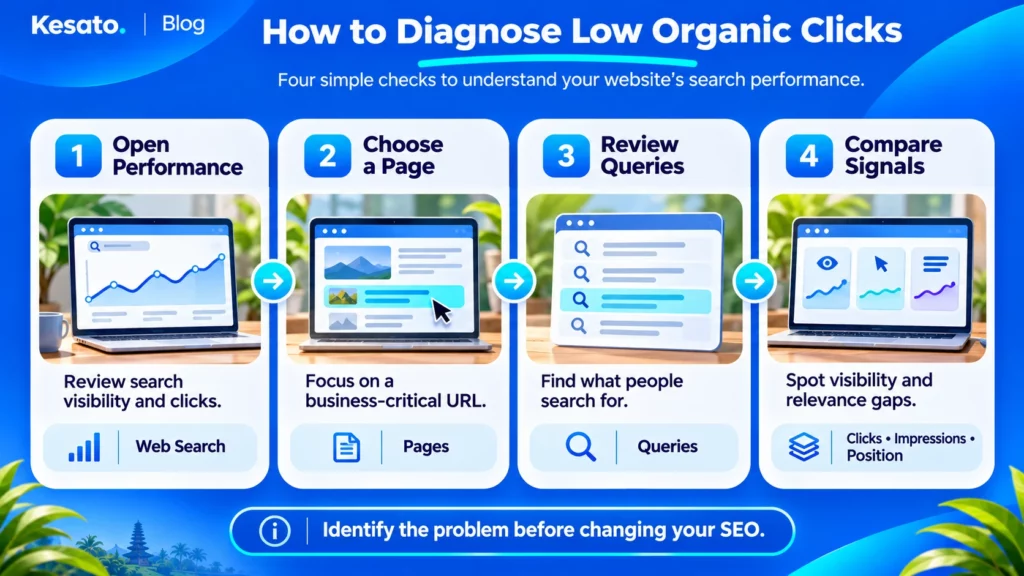
You do not need to understand every SEO metric to begin diagnosing low organic clicks. Start with the Performance report in Google Search Console.
Choose the Web search type and a meaningful date range. Then select an important page, such as your main service page, in the Pages tab. With that page selected, open the Queries tab to see which searches have generated impressions and clicks.
Focus on four questions:
- Which queries are showing this page in Google?
- Are those queries relevant to the services or information the page provides?
- What are the impressions, clicks, and average position for those queries?
- Are people finding your business by its name, or through searches related to what you offer?
For example, a business may appear regularly when people search its brand name but rarely for the services it offers. That suggests a different opportunity from a service page already appearing for relevant searches but attracting few clicks.
Remember that average position combines observations across searches and can change by location, device, and time. Review individual queries and trends rather than drawing conclusions from a website-wide average.
Three Reasons Your SEO Visibility Isn’t Turning Into Clicks
Once you understand which searches are generating impressions, you can narrow your investigation to three common possibilities.
Your Pages Are Ranking Too Low for Relevant Searches
A page can receive impressions without being prominent enough to attract many clicks. If your service page consistently appears well below other relevant results, its visibility may not be translating into meaningful visits.
What to check: In Search Console, filter by the relevant page and review average positions for its important queries. Then inspect the actual search results to understand which types of pages Google is showing.
First action: Compare your landing page with the search intent. Does it clearly describe the service people are looking for? Does it provide useful information that competing results answer more effectively?
Improve the page where you find a genuine relevance or content gap. Do not assume changing its meta description will solve a ranking problem.
Your Website Is Appearing for the Wrong Searches
More impressions are not always better if they come from searches unrelated to your business goals.
Consider a website development company whose service page appears mainly for searches about learning web design. Those searchers may be looking for tutorials rather than a professional development partner.
This is an illustrative example, not a Kesato client case study.
What to check: Review the queries associated with each important landing page. Separate searches that suggest potential customers from broad informational searches or unrelated topics.
First action: Make sure the page clearly communicates the right service, target audience, and problems it solves. Review the headings and supporting content to see whether they match the intended search.
The goal is not to remove every informational keyword. It is to make your most commercially important pages relevant to the people they are meant to reach.
Your Search Result Doesn’t Clearly Answer What People Need
If a page appears in a competitive position for relevant searches but receives relatively few clicks, investigate how the result is presented.
Searchers often judge a result by its title, description, and how closely it matches their question. A vague title such as “Our Services” may offer less useful information than one that clearly identifies the service and audience.
What to check: Review your page’s title, the snippet Google displays, and the other results competing for the same query. Consider whether search features or other prominent results also affect click opportunities.
First action: Write a descriptive, accurate title that communicates what the page offers. Make sure the main heading and content deliver on that promise. Update the meta description if it does not represent the page clearly.
Google can generate title links and snippets from multiple sources, so metadata changes do not guarantee a different search appearance or a higher click-through rate.
Which SEO Problem Should You Fix First?
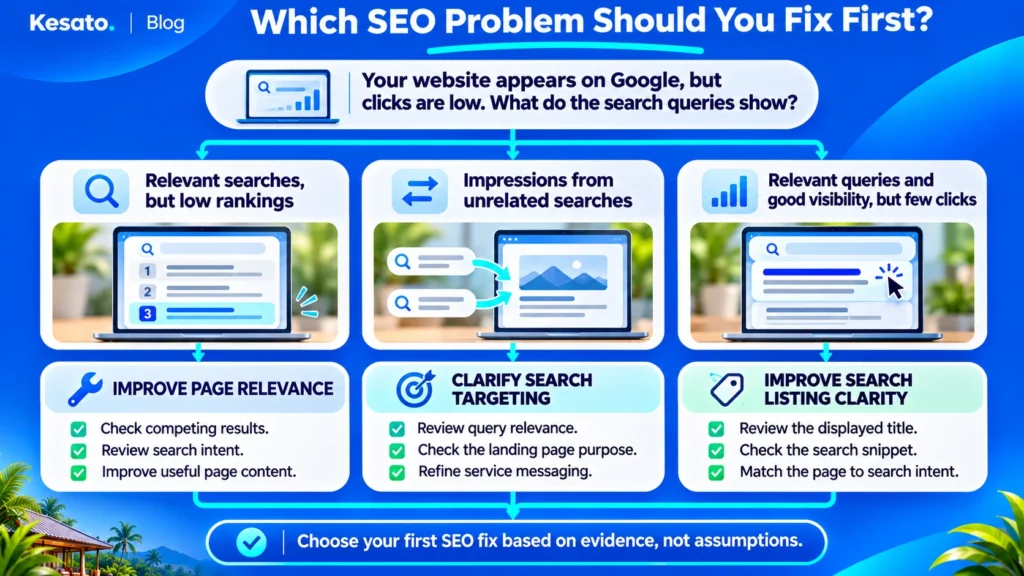
Instead of changing several things at once, identify the strongest evidence behind your low organic clicks. Use this simple decision table to select a starting point.
| What You Notice | What to Check | First Action |
|---|---|---|
| Relevant searches, but low rankings | Query positions and competing pages | Improve landing page relevance and useful content. |
| Impressions mainly from unrelated searches | Query intent and landing page purpose | Clarify service targeting and page messaging. |
| Relevant searches, reasonable visibility, few clicks | Displayed title, snippet, and search results | Improve search listing clarity where justified. |
These patterns are starting points, not guaranteed diagnoses. If several issues appear together, investigate the one affecting your most important business pages first.
For broader decisions about SEO priorities across your website, see our guide to SEO strategies for new and established websites.
How Do You Know Whether Your SEO Changes Helped?
After making an improvement, record what changed, which page was affected, and when the update was published. Give Google time to recrawl and process the page before assessing its impact.
In Search Console, compare the performance of the same page and relevant queries across comparable periods. Look at clicks and impressions alongside average position and the searches driving visibility.
If clicks rise because the page begins appearing for more relevant searches, that may be a positive sign. If impressions increase mainly from unrelated queries, the change may not serve your business objective.
Avoid treating a short-term movement as proof that one edit caused the result. Rankings and clicks can also change with demand, competition, and search result features.
And remember: organic clicks are not the same as enquiries or revenue. For that next step, read our guide to measuring SEO’s contribution to business results.
When Should You Get an SEO Specialist Involved?
Business owners can often identify the first warning signs using Search Console. However, determining why important pages consistently underperform may require deeper analysis of search intent, competing pages, and website content.
Consider involving an SEO specialist when you have identified relevant search opportunities but cannot determine which changes are likely to matter, or when repeated improvements fail to produce a clearer performance trend.
At Kesato, we help businesses evaluate their search visibility, identify practical optimization opportunities, and focus effort where it can support business objectives. If you need a more structured assessment, explore our SEO and SEM services.
The most useful next step is not always doing more SEO. It is understanding which problem needs attention first.