
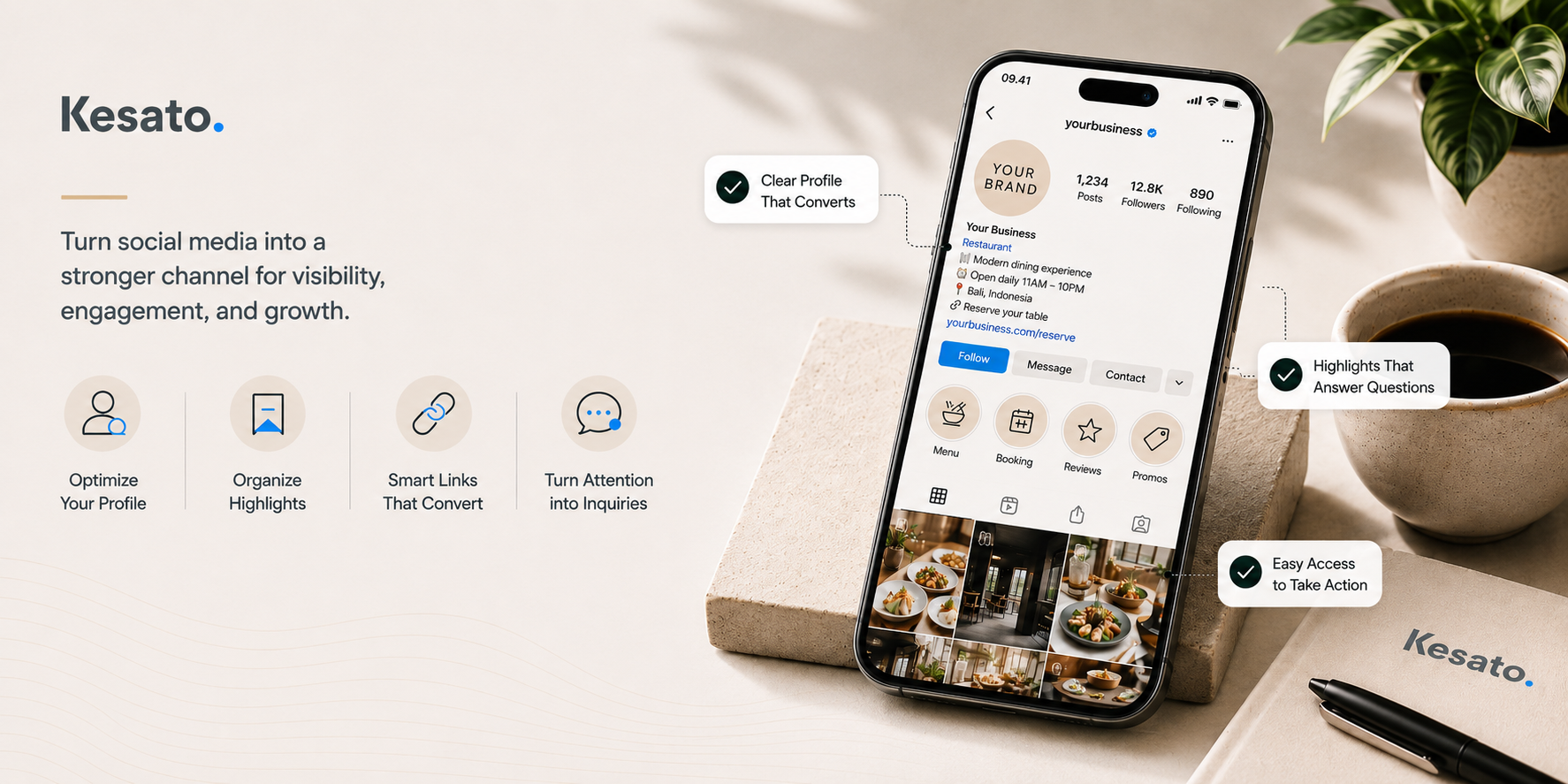
There’s a pattern that shows up in a lot of businesses. The Instagram account is active, posts go out regularly, the follower count keeps climbing, and yet the inquiries can be counted on one hand. Usually the problem isn’t the product, and it isn’t the volume of content either. It’s the small details nobody ever checks, which is exactly where interested people quietly drop off.
Those details are what social media management actually refers to, and most of them have nothing to do with how often you post.
This article covers nine areas that shape the outcome, ordered from what you can fix this afternoon to what takes real planning. The first four you can handle yourself in a matter of hours.
1. Your Profile and Bio: The Ten Minutes That Matter Most
A profile that works answers three things in five seconds: what this business is, when it’s open, and how to order. If even one of those is missing, most visitors leave rather than ask.
Nearly everyone who takes an interest in your business passes through this page. Content brings them here, but your profile decides whether they reach out or go back to scrolling. That means every dollar you spend on content production rests on a page that costs nothing to fix.
Username and display name
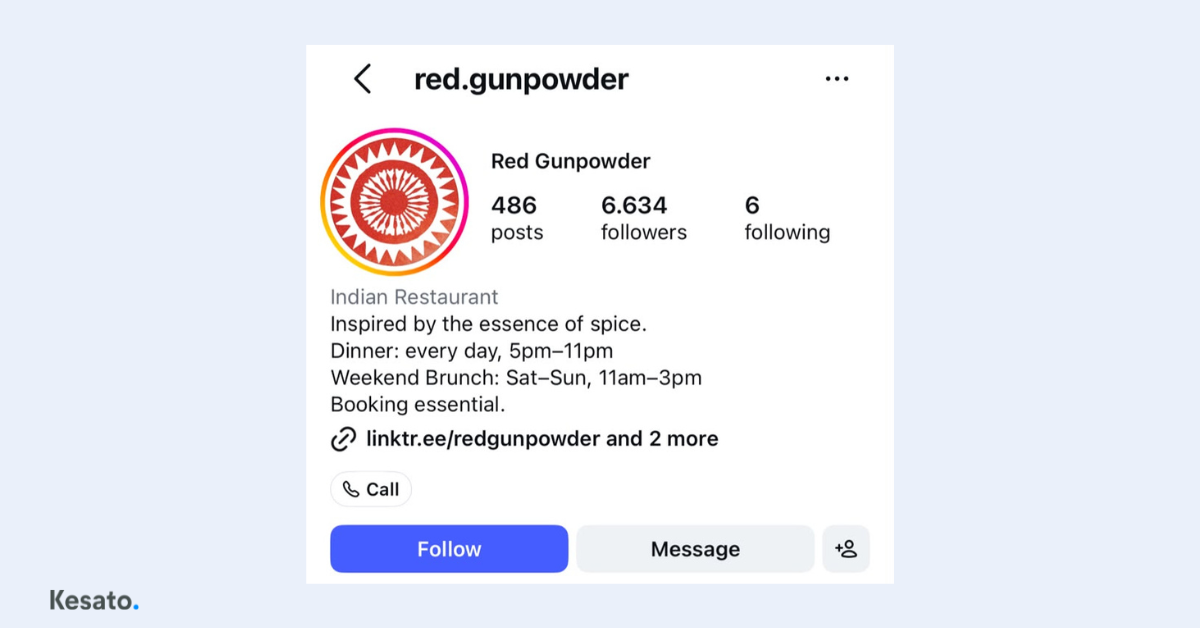
Use your brand name as the username so it’s easy to remember and easy to say out loud. Add a location only if your brand name is fairly generic or another business uses something similar. Below it sits a separate display name field, and Instagram reads that field too when someone searches. Filling it with the exact same text as your username wastes a chance to be found.
The way Instagram search works explains why both fields matter:
The text someone types into the search bar is the single most important factor in what appears at the top, and the closer the keyword match, the higher the ranking. Source: Buffer, Instagram SEO: How to Rank on Instagram and Google
Profile photo and category
Your profile photo always appears small, in the feed, in comments, and in search results. A logo with a simple shape and strong contrast gets recognized. One packed with detail doesn’t. For the business category, pick whatever comes closest to what you actually do. If nothing fits well, a broad category still beats leaving the field blank, because Instagram uses it to decide who your account gets shown to.
Bio content and links
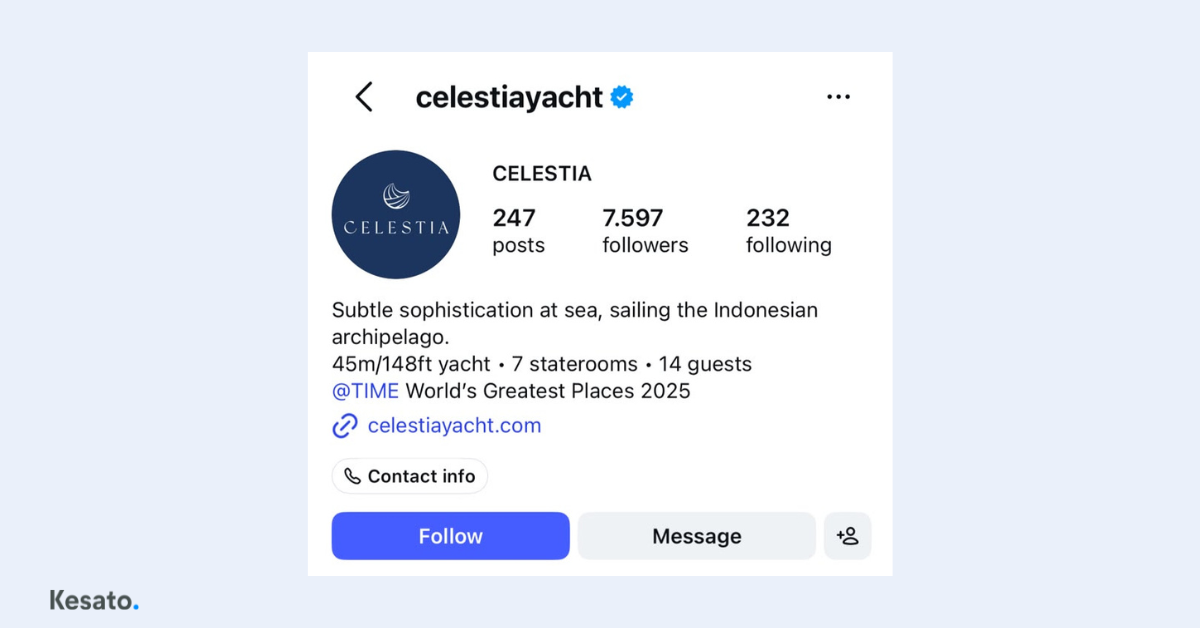
Write your bio in the order readers need it: what the business is, when it’s open, then what they should do next. People open a profile to make a decision, not to admire your copywriting.
Formatting can help a bio stand out, but clarity comes first, and symbols, spacing, and stylized text should be used sparingly so the bio stays easy to read. Source: Sprout Social, How to craft an impactful Instagram bio for business
For links, if your business has one main goal such as reservations, send people straight to that page. If several goals matter equally, use a link hub and put whatever sits closest to a purchase at the top. Every extra tap before the destination loses a few more people along the way.
Will changing my Instagram username lose my followers?
No. Your followers and all your posts stay exactly where they are. The only thing that needs updating is any old link pointing to your previous username, such as on your website and Google Business Profile.
2. Highlights: The Storefront That Answers Before Anyone Asks
If your bio answers the basic questions, your highlights answer the follow-up ones. What does it cost, what does the place look like, are other people happy with it. All of that runs through a customer’s mind before they’re willing to send a message.
When those answers are already there, the people who do reach out arrive close to deciding. When they aren’t, most simply move on. This part is quick to fix because the material is already sitting in your Story archive. It just needs organizing.
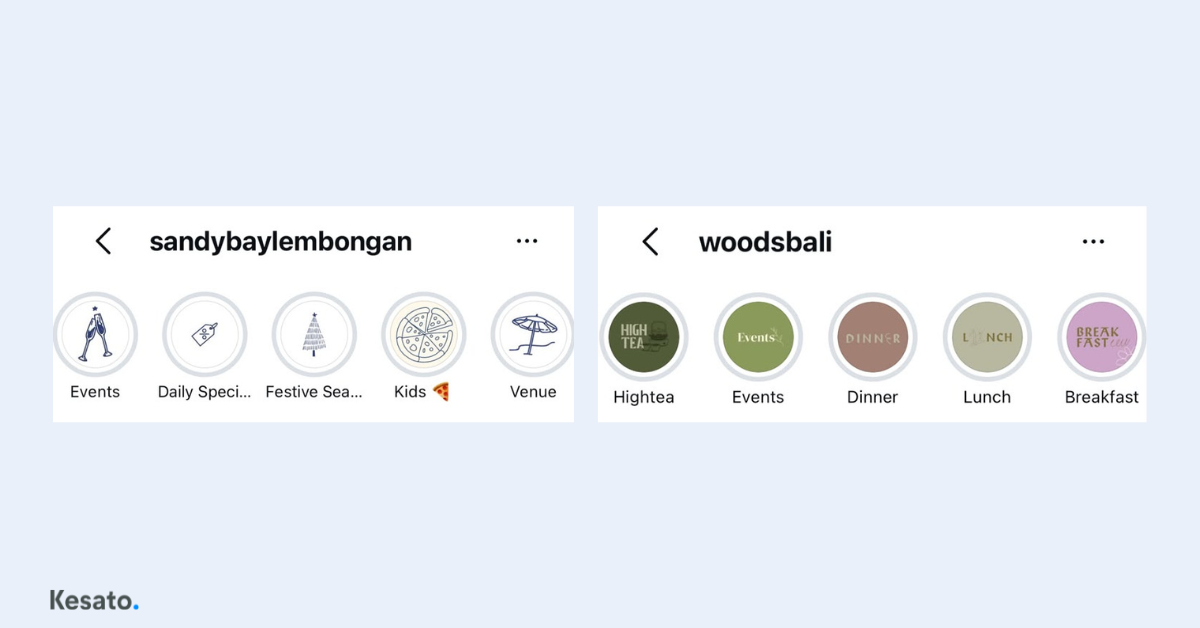
The four things that matter most:
- Naming. Use labels that say exactly what’s inside, like Menu, Booking, or Reviews. Vague names or bare emojis don’t get tapped
- Order. The leftmost position gets opened the most. Put whatever sits closest to a buying decision there, not whatever happened to be created first
- Freshness. Old prices, expired promotions, and last year’s events make people wonder whether you’re still operating. Outdated information does more damage than no information
- Coverage. Make sure the questions that fill your DMs are already answered there. Good highlights reduce your team’s workload instead of adding to it
A common mistake is using unclear names like “Other,” and ignoring the order so the best highlights end up buried on the right while the most valuable leftmost slot goes to waste. Source: Digital Marketing Agency, Instagram Story Highlights: 2026 Guide
3. Customer Reviews: An Asset You Already Own
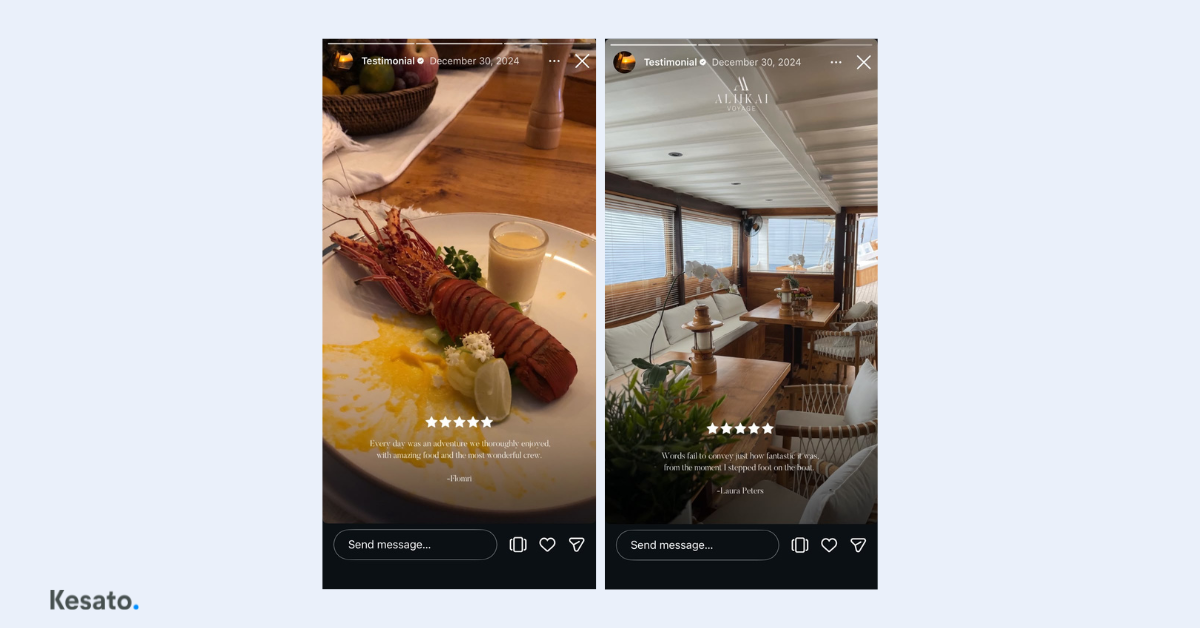
Customer reviews are the form of proof buyers trust most, and they should be turned into regular content rather than left sitting on Google or TripAdvisor.
This is the most commonly overlooked area, even though the raw material already exists and costs nothing to produce. Written reviews, photos guests send you, comments on your posts, all of it can go straight into your feed and Stories.
The numbers explain why this matters:
Around 72 percent of consumers trust customer reviews more than a brand’s own product descriptions, while 40 percent of shoppers abandon a purchase entirely when they can’t find any reviews at all. Source: ProveSource, 75 Social Proof Statistics for 2026
What to keep in mind when using them:
- Choose the specific review over the most flattering one. A review that names a dish, a staff member, or a particular moment feels far more real than general praise
- Reply publicly, including to the less pleasant reviews. Prospective customers often read your response more carefully than the review itself
- Ask for reviews right after a customer shows they’re happy, not through a mass message weeks later
4. When and How Often to Post
There’s no universal best time to post. The right time depends on when your own audience is active, and that data is already available for free in the insights section of your professional account.
The posting times you read about online come from someone else’s audience.
How to find your audience activity data
- Make sure your account is set to a professional account. If it isn’t, switch it in settings. It’s free and takes a minute
- Open your profile and tap Insights
- Go to Total Followers and scroll down to the Most Active Times chart
- Note the two or three highest windows. There’s usually one morning peak and one evening peak
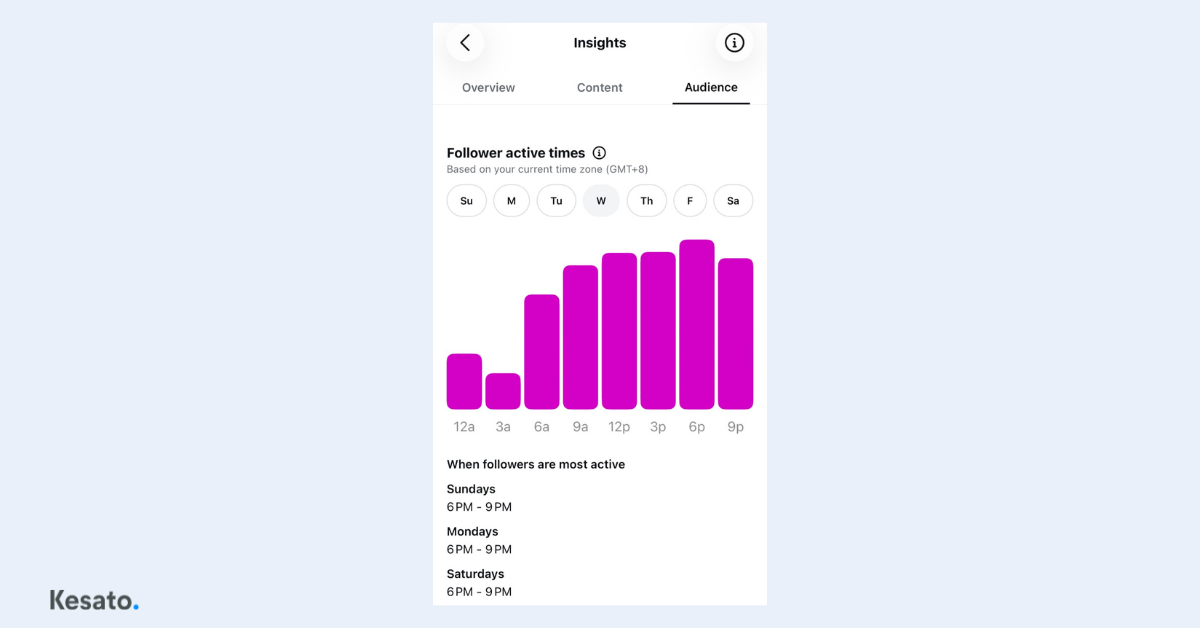
This chart shows when your followers are online, not when they’re most likely to engage, so it still needs testing. Post in the first window for two weeks, then switch to the second, and compare your reach from non-followers. Don’t change your posting time and your content type at the same time.
If your account is still new
The chart needs a certain number of followers before it appears. In the meantime, start from how your customers behave in real life. A dinner restaurant means people are deciding in the late afternoon. A service that takes longer to consider means people are researching in the evening or on weekends. Replace these assumptions with real data as soon as it’s available.
If your customers are travelers
They’re in different time zones and most of their research happens before they arrive, which splits your audience in two. Check the follower location section in the same menu. If a foreign country makes up a large share, add one posting slot aimed at their active hours, especially for planning-stage content like location and atmosphere.
Frequency and format mix
Consistency matters more than perfect timing. Three posts a week that keep going beat ten posts followed by a month of silence, because long gaps pull your reach down.
5. Writing Captions That Stop the Scroll
A caption that works opens with a line that makes people curious, continues with something the photo can’t show, and closes with one clear ask.
This isn’t a one-and-done fix like your bio. Captions get rewritten every time you post, so quality comes down to habit rather than setup.
The most common mistake isn’t a bad caption. It’s a caption that asks for too much. When one post asks people to follow, comment, message, and click a link all at once, usually none of it happens.
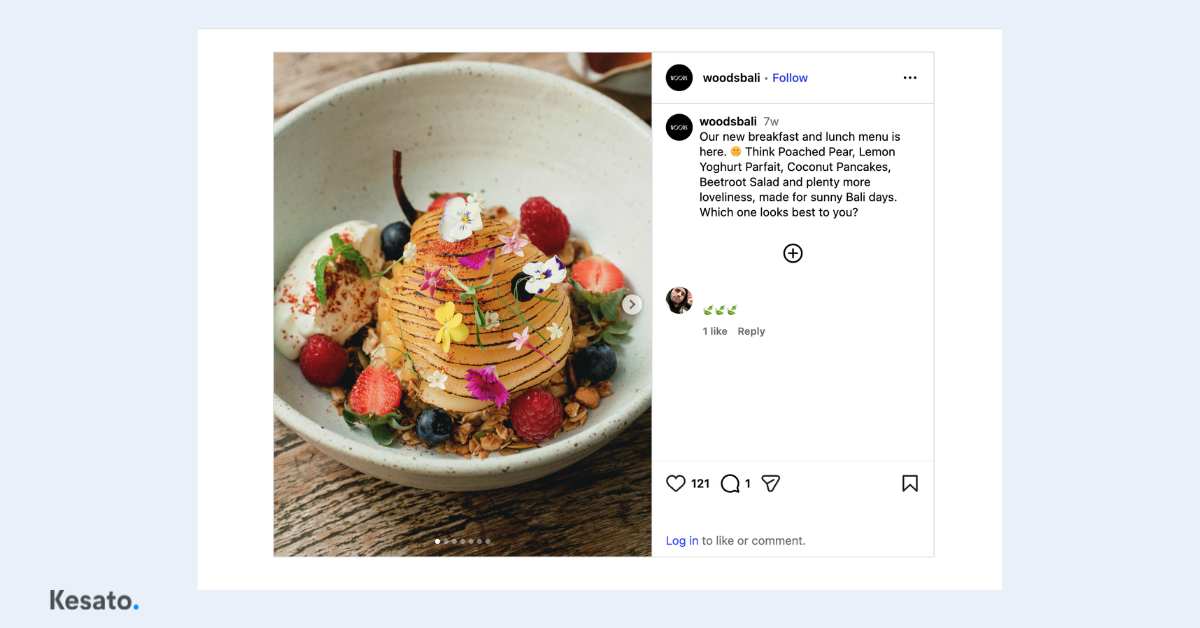
What separates an average caption from one that converts
- Skip the greeting. Only the first line or two shows before people tap “more.” That’s your most valuable space, and it’s a waste on “Hey everyone”
- Say what the photo can’t. The process in the kitchen, why you chose a particular ingredient, or a small habit only insiders would know. This is what makes people feel like they know your business
- Pick one ask. Decide the single thing you want most from that post, and write only that
- Write the way you speak. How you greet customers in person should match how you write captions. Overly formal language creates distance
Do hashtags still matter in Instagram captions?
Far less than they used to, since reach is now driven mainly by content quality and engagement. Five to ten relevant hashtags are enough to signal category and location.
6. Building a Look People Recognize Without Seeing Your Logo
Strong visual branding means people know a post is yours even when the logo isn’t visible. It’s built from color, lighting, shooting style, and editing applied consistently, not from one good photo now and then.
This is where most businesses start to hit their own limits. Visual consistency needs a written guideline and planned production sessions, not photos taken whenever there’s a spare moment.
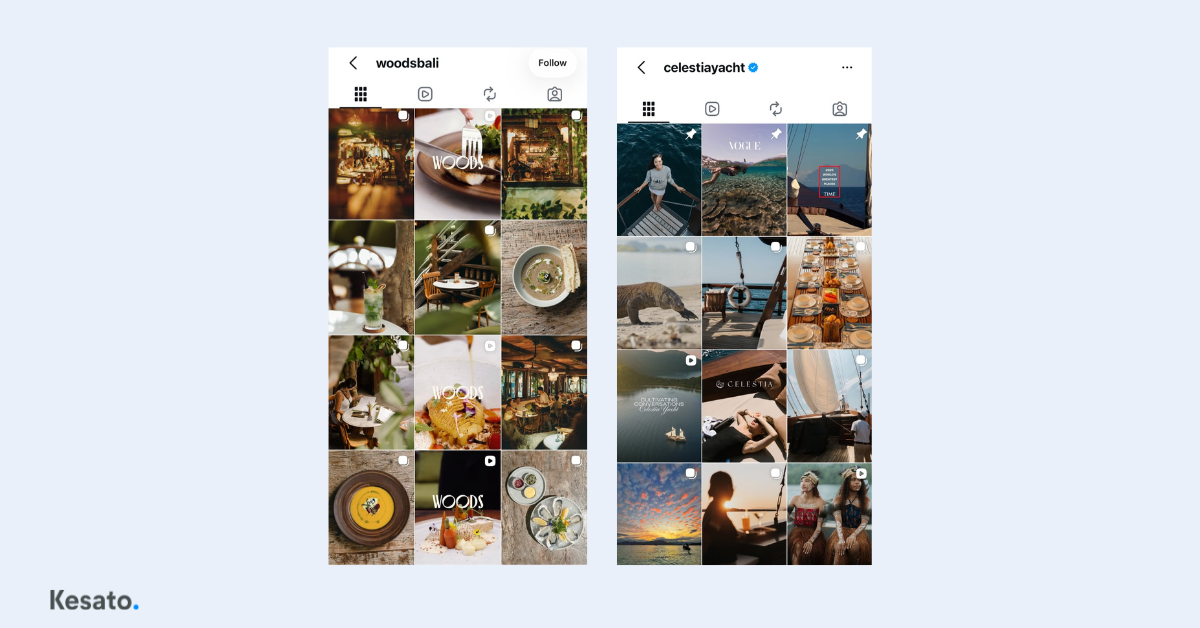
What to lock in early
- Color. Choose three or four core colors, then use them consistently across graphics, filters, and props
- Lighting. Commit to one character, whether that’s warm natural light or something darker and moodier. This is the fastest way to make a feed feel unified
- Angle and distance. Food shot from above reads differently than food shot from the side. Pick one primary approach
- Editing. One preset or one editing style across all photos, so skin tones, food, and interiors stay consistent
These constraints actually speed up production, because they reduce the number of decisions in every session.
Visual quality is part of your product
For food and beverage, accommodation, and property, photos aren’t documentation. They’re the first judgment people make about your quality, before they’ve experienced anything. A dark or blurry photo leads people to assume the experience is ordinary too, even when the reality is much better.
Consistent doesn’t mean identical
What needs to match is the feeling and the identity, not the composition of every shot. A feed that’s too uniform stops holding attention because there’s nothing new to look at. Keep color and lighting consistent, but vary your framing and subjects.
Checking this is simple. Screenshot your last nine posts and look at them as a whole. If it feels like photos from several different accounts, your visual identity hasn’t formed yet.
7. Repurposing: One Session, Many Posts
Repurposing means turning a single production session into multiple content formats, so your team doesn’t have to create new material every time something needs to go out.
Content fatigue is rarely about running out of ideas. The real cause is treating every post as a separate project, when one well-planned photo or video session can cover two to four weeks.
The key is the order of operations. Decide what posts you want to come out of the session, then start shooting. Doing it the other way around almost always leaves you with material you never use. From a single session, a long video can be cut into several reels, photos can be arranged into a carousel, and the leftovers become Stories.
Pay attention to format as well. Posting the exact same file across every platform looks lazy, because what needs to stay consistent is your brand identity, not the file itself.
Users are most likely to engage with short-form video, under 60 seconds, when it comes to brand content. Source: Sprout Social, Instagram Best Practices in 2026
8. Slow Replies Send Customers to Your Competitors
How quickly you reply to messages and comments decides whether interest turns into a sale. Plenty of sales fall through not because of price, but because the reply came too late.
Someone who sends you a message isn’t browsing. They’re already interested, and they’re almost certainly asking two or three other places the same thing.
Around 73 percent of consumers expect a response within 24 hours or less. Source: Sprout Social, Social Media Customer Service
A few things you can set up right away:
- Prepare quick replies for the questions that come in most often, like price, location, and availability
- Decide who’s responsible for replying and during which hours, so nobody’s waiting on anybody else
- Reply to comments too, not just messages, because other potential customers are reading them
- Comment occasionally on partner accounts or local community pages, which extends your reach at no cost
Finally, change how you read your numbers. Follower count isn’t a measure of account health. What tells you more is how many people save your posts, share them, and visit your profile after seeing your content.
9. Content Pillars Determine Whether the First Eight Areas Work
Content pillars are the three to five broad themes that guide all of your content, shaped by what your audience needs and what your business needs at the same time.
This section comes last not because it’s the easiest. Your profile can be tidy, your photos strong, your captions sharp, but if your content doesn’t point toward one clear position, your account still won’t be remembered.
The four types of content pillars
- Promotional. Invites people to buy and shows what sets you apart. This type dominates most business accounts, and that’s exactly what makes them feel like billboards
- Educational. Addresses customer problems. Stronger still is educating people about the world around your product, like a restaurant discussing where its ingredients come from
- Entertainment. Lighter content that makes your audience feel close to you, while still reflecting your brand’s character
- Conversational. Follows the buyer’s journey through to a decision. This type gets skipped most often, even though it’s the one that connects content to sales
It’s the proportions, not the themes
Most businesses already have all four without realizing it. The proportions are just uneven. A business that isn’t well known yet needs a larger share of educational content. A business with an established name can lean more into promotion. Trends are fine to follow, but only when they connect back to one of your pillars.
To check this, pull up your last twelve posts and sort them into the four types. If they pile up in a single type, your pillars aren’t working yet. Rebuilding this is usually the first stage of structured social media management.
Setting pillars requires understanding where your business sits in the market and what separates you from your competitors. It’s strategic work rather than daily work, and it generally needs time set aside from day-to-day operations.
Start With Your Weakest Area, Not All of Them at Once
If you’ve read through these nine areas and found several that aren’t working, that’s normal and it isn’t a sign that something’s wrong with your business. Most businesses start from the same place.
Some work through it gradually, and others hand it to a team that does this every day. Both are valid. What matters is not leaving the weakest area untouched indefinitely.
If you’d like to see how your account measures up against these nine areas, that’s usually where our team begins.
FAQ
Do small businesses need to manage Instagram in a structured way?
Yes. Prospective customers judge credibility by the state of your account, not the size of your business. A small business with a well-organized profile often looks more convincing than a large one with a neglected account.
How many content pillars should a business account have?
Three to five broad themes is generally enough. Too few makes content feel repetitive, while too many blurs your brand identity and makes it harder for your audience to recognize you.
How often should a business post on Instagram each week?
Three to five feed posts plus Stories a few times a week is enough for most businesses, as long as the schedule is genuinely maintained without long gaps.